The folders won’t be effected as they do not need to be removed to relaunch. I’m assuming the old version of the site (minus of course the front page, will all remain as there is no real reason to remove them?)
I’m also wondering about the ‘relaunch’ folder though? How will the site become live? I’m assuming the domain will simply be changed to point to: /relaunch/index.html, instead of the current /index.html (which should then mask the ‘relaunch’ bit in each pages address?)
Ah… if it’s a MySQL database, then it should just be the same as backing up a forum (which also uses MySQL) When I’ve backed up forums there has been an option to download the database in the admin panel. I would of assumed if you have admin privelages, then you should be able to do this
As I understand it, what will happen is that the WordPress material will get moved out of the “relaunch” folder that it’s in and placed in the main site directory, so the “relaunch” tagline will disappear - I think WordPress will automatically update at least some of the links (the ones from one page to another that have been created using its own software) and all the page URLs itself…at least, I’m hopeful it will!
Aha, excellent deductive reasoning there, Neil! I’ll have to log-in to the WordPress dashboard and see if I can find something like that - to be fair to the developers of WordPress, it’s regarded as such a user-friendly piece of kit, I’d be very surprised if there wasn’t a way of backing it up!
Take care…
Merged Post: EDIT: Believe it or not there’s no obvious backup system built into the WordPress framework itself, but there is a handy little plug-in you can install that does the job nicely, and which seems very popular with WordPress users - I’ve added the details to this thread: http://www.thundercatslair.org/forums/showthread.php?t=4459 .
Thanks Neil for putting my thinking on the right track for sorting this out!
Ok I just had a go at this and I’m stuck! I can’t figure out how to get the image on the news article to appear on the front page It’s right there in the actual article when you click ‘Read More’ but not on the front page…I know I’m missing something out here but not sure where I need to put the image url so it shows up on the front page too!
Although I did manage to work out how to make ‘Manny’ stated as the author and change the date from todays date to ‘22nd July 2010’ so I did work out some things on my own!
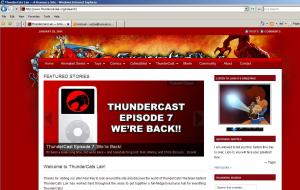
Hmmm, that’s interesting - I tested this out on IE6 (which has an inferior rendering engine to IE7) and it worked OK, and Adam Tyner tested it on IE8 and it looked OK for him too. Not sure what’s happening here, but hopefully if there’s a major problem some of our forum members will flag it up to us!


 It’s right there in the actual article when you click ‘Read More’ but not on the front page…I know I’m missing something out here but not sure where I need to put the image url so it shows up on the front page too!